



The Non-Negotiable Role of Data Backups in Analytics
In modern data and analytics environments, operational continuity and dataset integrity are not optional safeguards – they are foundational requirements. Whether the threat emerges from hardware failure, cyberattacks, misconfigurations, or human error, the consequences of data loss are immediate and often severe. Analytical pipelines collapse, historical baselines disappear, and real-time decision systems grind to a halt.
A robust backup strategy therefore functions not as a defensive afterthought but as a core architectural component. Effective backup design directly influences Recovery Point Objectives (RPO) and Recovery Time Objectives (RTO), determining how much data an organization can afford to lose and how quickly systems can be restored.
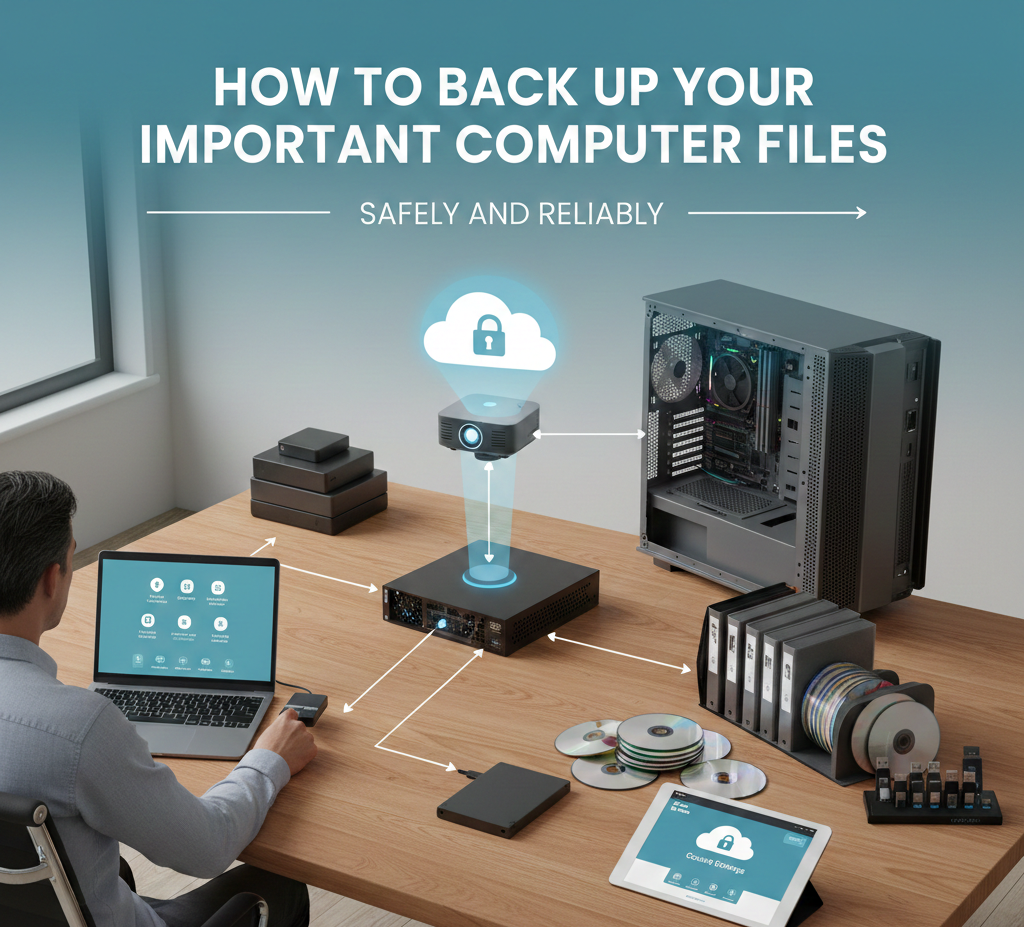
Why Traditional Redundancy Is Not Enough
Storage redundancy mechanisms like RAID improve availability but do not constitute a true backup strategy. RAID arrays replicate corruption, accidental deletions, and ransomware-encrypted data just as efficiently as valid data. Disk-level fault tolerance protects against device failures, not logical or security failures.
Resilient data protection requires independent, recoverable, and ideally immutable copies stored outside the primary failure domain. Without this separation, redundancy simply amplifies failure instead of mitigating it.
Business Impact of Data Loss
For analytics-driven organizations, data is both an operational asset and a strategic differentiator. Loss events carry costs far beyond infrastructure replacement:
- Downtime and lost productivity
- Regulatory exposure and compliance risks
- Reputational damage
- Irrecoverable intellectual property loss
Even brief outages can disrupt time-sensitive workflows such as financial analytics, customer intelligence, or machine learning pipelines. Backup architecture must therefore align with business risk tolerance rather than generic IT policies.
The 3-2-1 Backup Principle in Large-Scale Systems
The classic 3-2-1 rule – three copies of data, two storage types, one offsite – remains a valuable conceptual model. However, in large analytics infrastructures, implementation becomes an architectural exercise rather than simple duplication.
Media Diversity in Practice
For high-volume systems, “two media types” may involve:
- High-performance SSD or NVMe arrays for active workloads
- Cost-efficient object storage or tape systems for retention
- Cloud storage for geographical resilience
Each medium introduces trade-offs in latency, durability, and cost.
Evolving the Definition of “Offsite”
Offsite storage increasingly means cross-region or cross-provider replication. Replicating backups across geographically isolated regions protects against site-level disasters and regional outages.
For example, storing analytical datasets in Amazon S3 with cross-region replication can significantly reduce catastrophic loss scenarios while supporting defined RPO targets. This resilience, however, must be balanced against transfer and storage costs.
Advanced Local Backup Mechanisms
Modern backup systems extend beyond simple file copying by leveraging snapshotting, deduplication, and versioning techniques.
Snapshots: Fast Recovery Points
Snapshots capture the state of a volume at a specific moment using copy-on-write mechanisms. Because only metadata and changed blocks are stored, snapshots are created nearly instantly regardless of dataset size.
Benefits include:
- Minimal performance overhead
- Frequent recovery checkpoints
- Granular rollback capability
Limitations remain critical: snapshots typically reside on the same storage system and are vulnerable to underlying hardware failure.
Deduplication: Eliminating Redundancy
Deduplication engines store only unique data blocks, referencing duplicates through pointers. In environments with incremental backups or similar datasets, storage savings can be substantial.
While highly efficient, deduplication introduces computational overhead and retrieval complexity. Performance tuning and hardware capacity planning become essential for large deployments.
Versioning: Protecting Against Human Error
Versioning systems preserve historical object states whenever data is modified or overwritten. Cloud storage platforms such as Microsoft Azure Blob Storage implement versioning natively, allowing immediate recovery from accidental changes.
Uncontrolled versioning, however, can rapidly increase storage consumption. Lifecycle policies are necessary to balance recoverability and cost.
Cloud Backup Architectures and Durability
Cloud-based backups provide scalability and built-in durability through distributed storage designs. Providers replicate objects across multiple devices and facilities, achieving extremely high durability metrics.
When data is backed up to object storage platforms, durability stems from:
- Automatic replication
- Integrity verification mechanisms
- Redundant storage layers
For analytics workloads using platforms like Snowflake, cloud-native data protection features often complement external backup strategies by maintaining historical data states and failover capabilities.
Storage Tiering and Cost Optimization
Cloud storage introduces multiple tiers optimized for access patterns:
| Tier Type | Characteristics | Ideal Use Case |
|---|---|---|
| Hot Storage | Low latency, higher cost | Frequent restores |
| Cool / Infrequent Access | Moderate latency, lower cost | Periodic recovery |
| Archive / Deep Archive | High latency, minimal cost | Compliance retention |
Selecting tiers requires alignment with RTO expectations. Archival storage drastically reduces cost but may increase retrieval times from minutes to hours or days.
Database Backup Strategies in Analytics
Databases demand specialized backup mechanisms to preserve transactional consistency.
Logical Backups
Logical backups export schema and data definitions, offering portability and granular recovery. They are storage-efficient but slower to restore at scale.
Physical Backups
Physical backups capture raw storage structures, enabling rapid restoration. They require strict compatibility controls and typically consume more storage.
Disaster Recovery Models for Databases
Database disaster recovery (DR) solutions aim to minimize both RTO and RPO.
Replication and Log Shipping
Continuous log replication allows near-real-time synchronization to standby systems, reducing potential data loss to seconds.
Managed Cloud Resilience
Services like AWS RDS integrate automated snapshots, replication, and point-in-time recovery. While simplifying operations, these services still require careful configuration of retention and failover policies.
Ensuring Backup Integrity and Security
Backups are valuable only if they are recoverable, untainted, and trustworthy.
Encryption Controls
Data should be encrypted:
- In transit using TLS/SSL
- At rest via provider-managed or client-side keys
Client-side encryption enhances control but increases operational complexity due to key management responsibilities.
Immutability and Ransomware Protection
Immutable storage mechanisms prevent modification or deletion during a defined retention period. This creates a reliable recovery baseline even in the event of privileged account compromise.
Validation Through Checksums
Cryptographic hashing verifies that stored backups remain unaltered. Hash mismatches reveal silent corruption, which is otherwise difficult to detect.
Testing: The Most Overlooked Discipline
Untested backups frequently fail during real incidents. Validation requires deliberate, recurring exercises:
- File-level restore checks
- Full system recovery drills
- Database point-in-time recovery tests
Testing exposes performance bottlenecks, dependency failures, and misconfigurations long before an actual crisis.
Automation and Orchestration at Scale
Manual backup operations do not scale with modern analytics workloads. Automation ensures consistency and reduces operational risk.
Scripted Backup Workflows
Utilities such as rsync and database dump tools enable incremental, scheduled backups. Delta-based transfers dramatically reduce bandwidth and backup windows.
Policy-Driven Backup Platforms
Enterprise backup systems centralize control across heterogeneous environments. Features typically include:
- Retention automation
- Tiering policies
- Snapshot integration
- Failure monitoring
Observability and alerting mechanisms are essential for detecting anomalies before they jeopardize recoverability.
Conclusion: Backups as a Verified Capability
Data backup strategies must be evaluated not by their design elegance or tool sophistication but by their proven restorability. Redundancy, encryption, replication, and immutability form the structural pillars of resilience, yet testing and validation ultimately determine reliability.
A backup that has never been restored under controlled conditions is a hypothesis – not a safeguard. True resilience emerges only when recovery procedures are routinely verified, measured against RTO/RPO targets, and continuously refined.
In data and analytics ecosystems, where datasets represent accumulated intelligence and competitive leverage, backup integrity is inseparable from business continuity itself.
More Articles
How Can You Secure Your CMS Against Common Attacks and Data Breaches
A Practical Roadmap to Privacy Compliant Analytics Without Sacrificing Business Insights
Practical AI Deployment Best Practices Every Business Can Use Successfully Safely
Essential Checklist for Adopting Headless WordPress Trends That Improve Site Performance

FAQs
Why should I even bother backing up my crucial computer files?
Think of it as an insurance policy for your digital life! Your computer’s hard drive could fail, it could get stolen, or you might accidentally delete something critical. Even ransomware can lock up your files. Having backups means you can recover your precious photos, vital documents and work projects without losing everything, saving you a lot of stress and potential heartbreak.
What are the easiest and most reliable ways to back up my computer?
There are a few popular choices. External hard drives are great for local, fast backups. Cloud storage services like Google Drive, OneDrive, or Dropbox offer offsite storage and easy access from anywhere. For more advanced users, a Network Attached Storage (NAS) device can provide a personal cloud solution. Often, a combination of these methods gives you the best protection.
How often do I really need to back up my stuff?
It really depends on how often your files change and how much data you’re willing to lose. For critical work files that change daily, you should back up daily, or even continuously with some cloud services. For personal photos or documents that change less frequently, weekly or monthly backups might be sufficient. The key is consistency – make it a regular habit!
Are cloud services like Dropbox or Google Drive truly safe for my sensitive backups?
Generally, yes, reputable cloud services employ strong encryption for your data, both when it’s being uploaded (in transit) and when it’s stored on their servers (at rest). They also have robust security measures in place. But, your security is also tied to your own practices: always use a strong, unique password and enable two-factor authentication (2FA) for an extra layer of protection.
What kinds of files should I make sure to back up?
Anything that’s irreplaceable or would be a pain to recreate! This typically includes personal photos and videos, vital documents (financial records, legal papers, resumes), work projects, emails, music libraries, browser bookmarks and any custom settings or game saves you care about. Don’t forget operating system settings or software licenses if they’re hard to recover.
I’ve backed up my files. How do I know the backup actually worked and I can restore them?
That’s a super essential question! Many people skip this step. The best way to know your backup is good is to periodically test it. Try restoring a random file or two from your backup to a different location on your computer (or a temporary folder). This confirms that the backup process was successful and the files are readable. If you can’t restore, then your backup isn’t truly reliable.
What’s this ‘3-2-1 rule’ for backups that everyone talks about?
The 3-2-1 rule is a golden standard for a robust backup strategy. It means: 1. Have at least 3 copies of your data (the original plus two backups). 2. Store your backups on at least 2 different types of media (e. g. , your computer’s internal drive, an external hard drive. cloud storage). 3. Keep at least 1 copy offsite (away from your home or office, like in the cloud or at a friend’s house) in case of a local disaster like fire or theft. Following this rule significantly reduces your risk of data loss.